


One way that your post looks interesting is to insert videos. As you notice, blogspot no longer include the "insert video" option when you add a new post to your blog. But without it, you can still insert videos by embeding HTML codes from your video host like youtube.
Step 1: Open new window and search YouTube.com. Search the video you want to insert in your post.
 Step 2: Copy the embed video code.
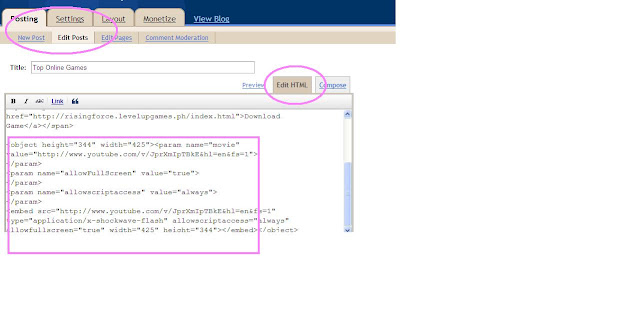
 Step 3: Open your Blog Post. Choose Edit HTML tab. Paste the embed video code.
 Step 4: Publish Post.
Step 1: Open new window and search YouTube.com. Search the video you want to insert in your post.


